Case study
csv localizer.
Lets a team localize a whole CSV file in one upload. It decides which columns to translate, keeps names consistent across the file, and checks its own output before handing it back.
- Role
- Designed & built end-to-end
- Context
- Built for a friend translating a Japanese RPG
- Status
- Demo on GitHub Pages; full app self-hosted
My role
I did this alone. I scoped it from a friend's need (translating a Japanese RPG), decided which steps an LLM handles and which plain code handles, built it with AI coding tools and shipped the public demo on GitHub Pages.
The spark
A friend was translating a Japanese RPG, and its script and dialogue needed to go into other languages. I wanted one upload to handle the repetitive part of a whole file, so a person's time goes to the lines that need judgment. Building it also meant deciding where an LLM belongs and where plain code does the job better.
The problems to solve
- P1
Users have to map columns by hand
In a spreadsheet, IDs, prices and SKUs must stay untouched while the column headers need localizing too. Most tools make the user map which columns to translate by hand, and that's the part people hate.
- P2
Names drift between row 3 and row 300
A name has to be translated the same way in row 3 and row 300. In Japanese scripts it is harder: some Japanese surnames are ordinary nouns in Chinese (場地, the name of an anime lead, means a venue), so with too little context in a line a model can translate a person as a place.
- P3
Bad or non-local lines can pass as finished
Accuracy ranks ahead of cost and speed. A batch can come back with missing lines or leftover source-language script, and if that passes silently a bad line is handed back looking finished. Traditional Chinese also has to use local Taiwan vocabulary, or readers in that market can tell right away.
- P4
Repetitive lines eat the time judgment needs
A friend was translating a Japanese RPG, and its script and dialogue needed to go into other languages. I wanted one upload to handle the repetitive part of a whole file, so a person's time goes to the lines that need judgment. That meant deciding where an LLM belongs and where plain code is cheaper, faster and consistent every run.
How it works
- 01
Schema & column detector (deterministic)
Scores each column by CJK, kana, hangul or English-phrase density to decide what's translatable. No model call, because the rule is crisp and cheap to check.
SolvesP1P4
- 02
Context & domain analyzer (Claude Haiku)
One small-model call per job samples five rows and classifies domain and tone, steering word choice for everything after.
SolvesP3
- 03
Parallel translation engine (Claude Sonnet)
A full-file glossary pass first, so names stay consistent across batches; then 12-row batches translated at 10-way concurrency.
SolvesP2P4
- 04
Validation & quality guard (deterministic)
Checks row alignment and leftover source-script; a failing batch is retried once, and if it fails again it's flagged so it can't slip through unnoticed.
SolvesP3
Product decisions
Four languages first, smaller languages later
The first version covers English, Japanese, Traditional Chinese and Simplified Chinese. The game is in Japanese, and I read all four languages, so I could check every output myself. The trade-off was leaving smaller languages out for now.
SolvesP3
Japanese surnames that read as Chinese nouns
Most of the source material is Japanese, so Japanese-to-Chinese got extra checking. Some Japanese surnames are ordinary nouns in Chinese. One anime lead is named 場地 (Baji), and in Chinese 場地 means a venue or a field. With too little context in a line, a model can translate the name as a place. So before any translation, a full-file pass lists every recurring character, including names written in kanji in one line and katakana in another, and fixes one translation for each. That list is passed into every batch as a rule, which keeps 場地 a person from the first line to the last.
SolvesP2
Built for about 100 lines, with a plan past that
The first version is built around files of about 100 lines, finished in a single request. Longer files still work: the file is split into 12-row batches running 10 at a time, and a name glossary built from the whole file before any batch keeps each character's name the same across batches. The hard limit is 500 rows per request. A bigger file is refused up front with a clear message instead of timing out halfway, and lifting that limit means moving translation to a background job queue.
SolvesP2P4
How accuracy is checked
Accuracy ranks first, ahead of cost and speed, which is why translation runs on Sonnet. Every batch then passes two code checks: every line has to come back, and no line may still carry source-language script. A failing batch is retried once. Lines that fail again are left blank and counted, and the count appears in the result summary, so a bad line is never handed back looking finished. Because I read all four languages, I can review the output directly as the final check.
SolvesP3
Not multi-agent yet, on purpose
The four stages read like four agents, but today they are four functions called in order inside one request. At 100 to 500 lines, splitting them into separate agents would add messaging, state and retry overhead with nothing to show for it. The plan is to split them once large files move to background jobs, starting with validation as its own step whose flags feed a human review screen.
SolvesP4
Code where the rule is crisp, a model where judgment is needed
Two of the four stages have no LLM at all. Detection and validation are cheaper and faster as code, and they behave the same way every run. I kept the model for tone and meaning.
SolvesP4
Right-sized models
Haiku handles classification and header labels, and Sonnet does the actual translation. I only pay for the big model where the user can see the difference in quality.
SolvesP4
Taiwan Mandarin wording in the prompt
Traditional Chinese output is prompted to use Taiwan vocabulary (軟體, not 軟件; 網路, not 網絡). Converting characters is the easy part. If the vocabulary isn't local, readers in that market can tell right away.
SolvesP3
Prevent no-op requests in the UI
Unsupported source languages are flagged, and the source language is hidden from the target picker, so the user can't send a request that does nothing.
SolvesP4
Built with
Demo
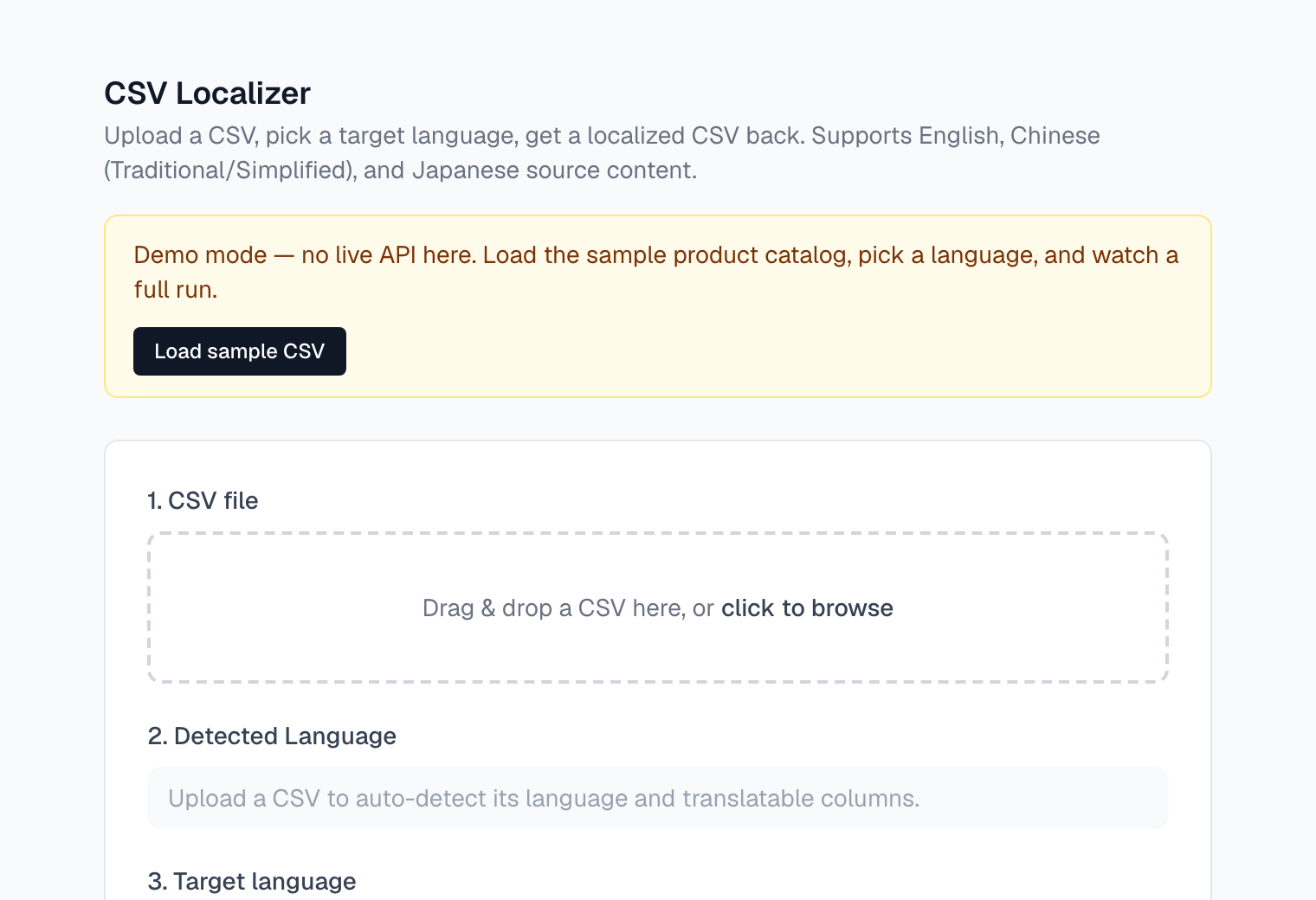
Hosted demo: load the sample product catalog, pick a language and watch all four stages run. It replays a prepared result (no live API here); the full Claude pipeline runs when the app is self-hosted with an API key.
How I evaluated it
I tested the real pipeline (no demo replay) in three rounds, English into Traditional Chinese for Taiwan, three runs per condition. Round 1 used 26 interface strings and checked format safety, cost and time. Round 2 grew the set to 40 rows and graded it against my own criteria: concise wording, person names, proper nouns, format, and local fit (Taiwan terms, one register, no leftover English, accurate meaning, consistent spacing). Round 3 reran the same 40 rows after the fixes. The limits are real: the rows were written for the test, it covers one language pair, and the AI reviewer has not yet been checked against a human.
- Round 1: format safety
- Placeholders, HTML tags, brand names, line breaks and file structure came through intact in all 156 row translations across 6 runs.
- Round 1: cost and time
- About $0.12 to $0.15 per 100 rows at list prices, and 569 to 782 ms per row, measured as API latency from one laptop.
- Round 2: person names
- 66.7% kept or taken from the glossary (12 of 18). Pinyin names became guessed characters, and English names changed between runs: Will Chen came back as 陳威爾, 陳威廉 and 威爾·陳.
- Round 2: concise wording
- 75.0% of 120 row translations. The tool adds words the source does not have, such as 請 or 自動, and in one row 延長 (extend) changed the meaning.
- Round 2: proper nouns
- 84.3% correct, with 8 misuses in 51: Google Sheets left in English, Smart Import translated. Brands, acronyms and places were always right.
- Round 2: format
- Placeholders, HTML, line breaks, Taiwan dates and full-width punctuation passed every row. Currency passed 2 of 6, because $19.99 美元 marks the currency twice.
- Round 2: register and accuracy
- One file in three mixed 您 and 你. Meaning accuracy passed 93.3%, Taiwan terms 100%.
- Round 2: cost and time
- $0.168 per 100 rows and 775 ms per row, at list prices.
A failure I fixed
Column headers sometimes came back in Mainland Chinese terms (文本 for text, 最大字符數 for max_chars) while the cells below used Taiwan terms. The header prompt never received the Taiwan locale note that the cell prompt already had. A five-line fix passes it in, and Mainland header labels went from 5 in 120 to 0 in 120 in a repeated probe. One slip still appeared in the full runs, so headers now also get a code check with one retry.
What the findings changed
Round 2 set the order of the fixes, and all four are now built. Latin-script names stay as typed unless the user supplies a mapping; proper nouns come from an approved list with official Taiwan terms; each locale has one fixed register; and the prompt forbids padding and doubled currency or units. On the same 40 rows, concise wording rose from 75.0% to 90.8%, names kept went from 12 of 18 to 18 of 18 (stable across runs for 5 of 5 names), proper-noun misuses fell from 8 to 0, currency went from 2 of 6 to 6 of 6, and accuracy rose to 96.7%. The trade-off: each row is about 46% slower (775 to 1,129 ms) and 25% more expensive ($0.168 to $0.210 per 100 rows), almost all from the longer glossary pass. The new code checks with retry never fired, so the gains came from the prompt and glossary rules. The same rows drove the fixes and measured them, so a held-out set is the next test.
Outcome
A working tool that localizes CSVs into English, Traditional Chinese, Simplified Chinese and Japanese (up to 500 rows per request) with zero manual column mapping. The public demo runs as a free static site on GitHub Pages.
What's next
- A labeled eval set: real script lines in each language, marked pass or fail on meaning, name consistency and local wording, so a model or prompt change is measured, not eyeballed. Today's code checks catch missing or untranslated lines; they can't catch a fluent line with the wrong meaning.
- A background job queue for files past 500 rows.
- Multiple target languages per request (the backend already accepts an array).
- A reviewer view that highlights glossary terms for human sign-off.