Case study
standfirst.
Built to give a marketing team one system in place of six disconnected tools. It started with tripprimer and is SEO- and AEO-first: one persona-driven engine handles research, writing, distribution and ads, and a rules engine suggests the next move from the numbers.
- Role
- Solo: product, design & build
- Type
- AI content operations platform
- Status
- Private beta, waitlist open
My role
I did this alone. I wrote the PRD, made the product and design calls on this page, built the platform with AI coding tools and shipped it as a private beta with a public waitlist.
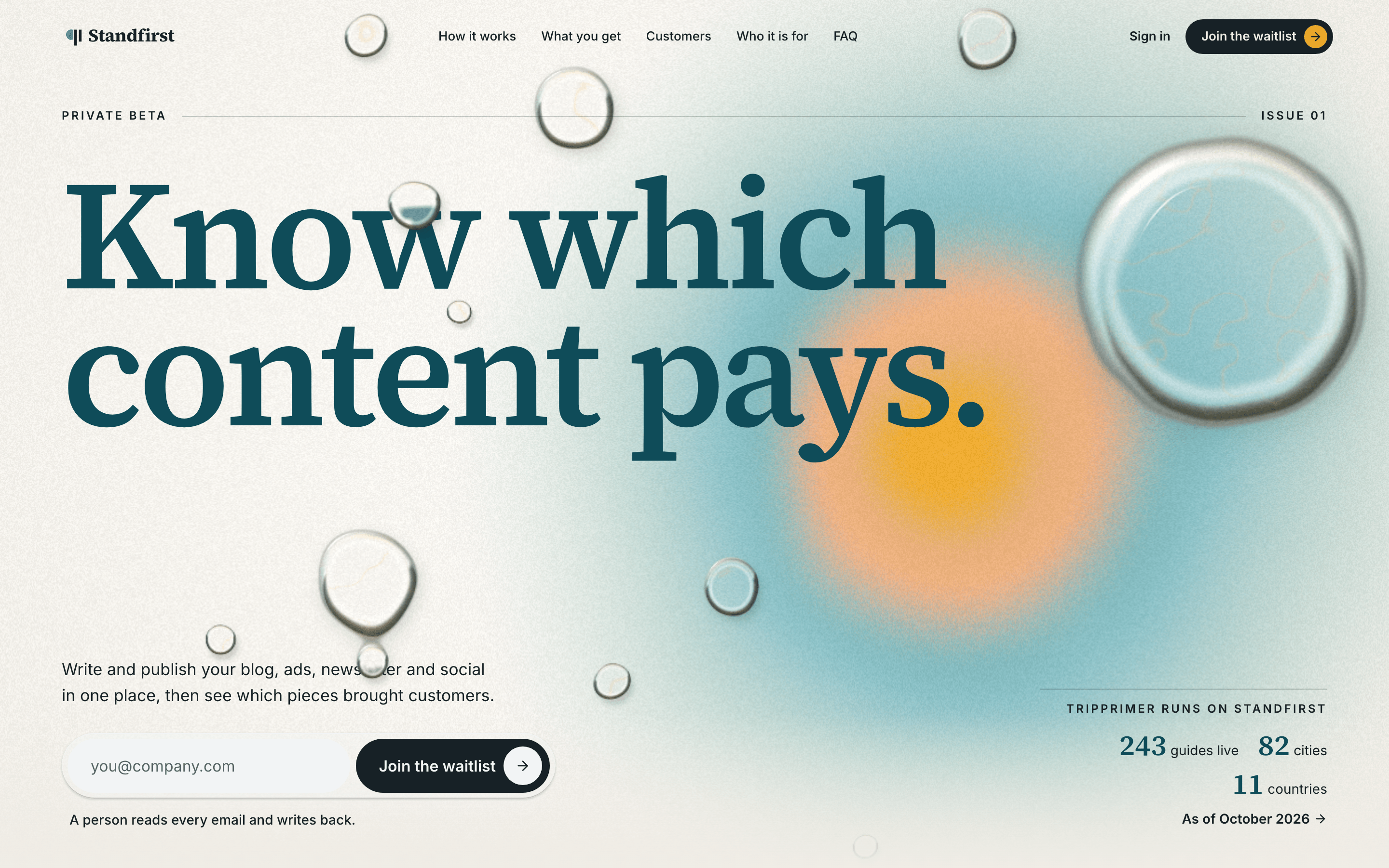
The spark
Running a content site taught me that the draft is the easy part. Every AI writing tool stops there. The hard questions come after: did it publish, did anyone read it, what should the next piece be? I wanted one system that closes that loop, and tripprimer was the site to build it around.
The problems to solve
- P1
AI writing tools stop at the draft
Whether a piece published, and whether anyone read it, ends up in other tools, with no single record per piece.
- P2
Nothing says what the next piece should be
Generators give you more words and dashboards give you more charts. Neither tells you what your last ten pieces earned or what to write next, so the loop from results back to content never closes.
- P3
Every extra tool is another place to lose context
A content operator works across writing, paid ads and a newsletter. Each tool is another login and another place for context to get lost, and each keeps its own copy of who the customer is.
- P4
Extra machinery costs money and time at this size
Every LLM call, repeated research run and added layer of infrastructure costs money and makes people wait. With one user per organization today, a feature built for teams, such as an approval step, would have nobody on the other end.
Produce → Distribute → Measure → Learn, as one loop, with a single record for each piece.
The vision
One engine from persona to paid click.
Marketing teams rent a separate tool for every step: one for keyword research, one for writing, one for email, one for social, one for ads, one to see whether AI answer engines cite them. Each keeps its own copy of who the customer is. Standfirst starts from the one thing they should all share (the persona) and runs everything downstream from it: the persona sets the angle, the angle sets the keywords, the keywords shape the piece for search and answer engines, and the same keywords become the ad targeting. The bet is that intent you mapped yourself targets more precisely than an audience rented from Meta or Google, and costs less per useful click.
- Live
Persona engine
Every workspace holds its personas and positioning; every draft is written against them, so content stays on brand from the first draft.
- Live
Persona → keywords → content, built for SEO and AEO
Each piece is built on researched keywords and one to three real insights, and structured so search engines rank it and answer engines can quote it.
- Building
Distribute anywhere text goes
Blog, website, newsletter and social from one draft. Webhook publishing and social copy are live; the newsletter lane is in the app with demo data; native channel connectors come next.
- Building
Ads from the same keywords, one click to Google
The ads lane already plans keywords and writes sitelinks from the site's own content, and its Google Ads connection runs on mock data until API access is approved. One-click push of those keywords into Google Ads is the next step.
- Next
Automatic distribution and a learning loop
Performance flows back to the record that published it and a rules engine says what to do next. Next: scheduled, automatic distribution and channel metrics pulled in without typing.
The stack it aims to replace
- SEO research
- Semrush · Ahrefs
- AI writing
- Jasper · Copy.ai
- AI-search visibility
- Profound · AthenaHQ
- Email & newsletter
- Klaviyo · beehiiv
- Social scheduling
- Hootsuite · Buffer
- Search ads
- Google Ads tooling
How it works
- 01
Audience hub (ICP → persona → keywords)
Everything starts from one audience center: ICPs (who the team serves), their personas, and each persona's keywords. A team can set up several audience segments for each product line, with up to three product lines (workspaces) per account, so the work forms a matrix of product line × audience × channel. Blog drafts, social posts, newsletters and ads are all built out from that center, and each draft shows which persona, ICP and keywords it was made from.
SolvesP3
- 02
Produce
You give it one instruction. A rule-based classifier picks blog or social; for a blog, agents evaluate competitors (borrowing structure, never claims), research keywords, load the workspace's personas and positioning, and synthesize one to three insights, and then Claude drafts a piece built around them.
SolvesP3
- 03
Distribute
One click sends the draft to any channel by webhook (CMS, newsletter, anywhere). Every attempt is recorded, failures included, so a failed publish doesn't go unnoticed.
SolvesP1
- 04
Measure
Views, clicks and engagement are stored on the same record that published the piece, so the results sit right next to the content.
SolvesP1P2
- 05
Learn
A deterministic engine reads the signals (regeneration churn, unpublished backlog, missing metrics, winners and laggards) and turns them into a short, explainable to-do list.
SolvesP2P4
- 06
Ads and newsletter lanes
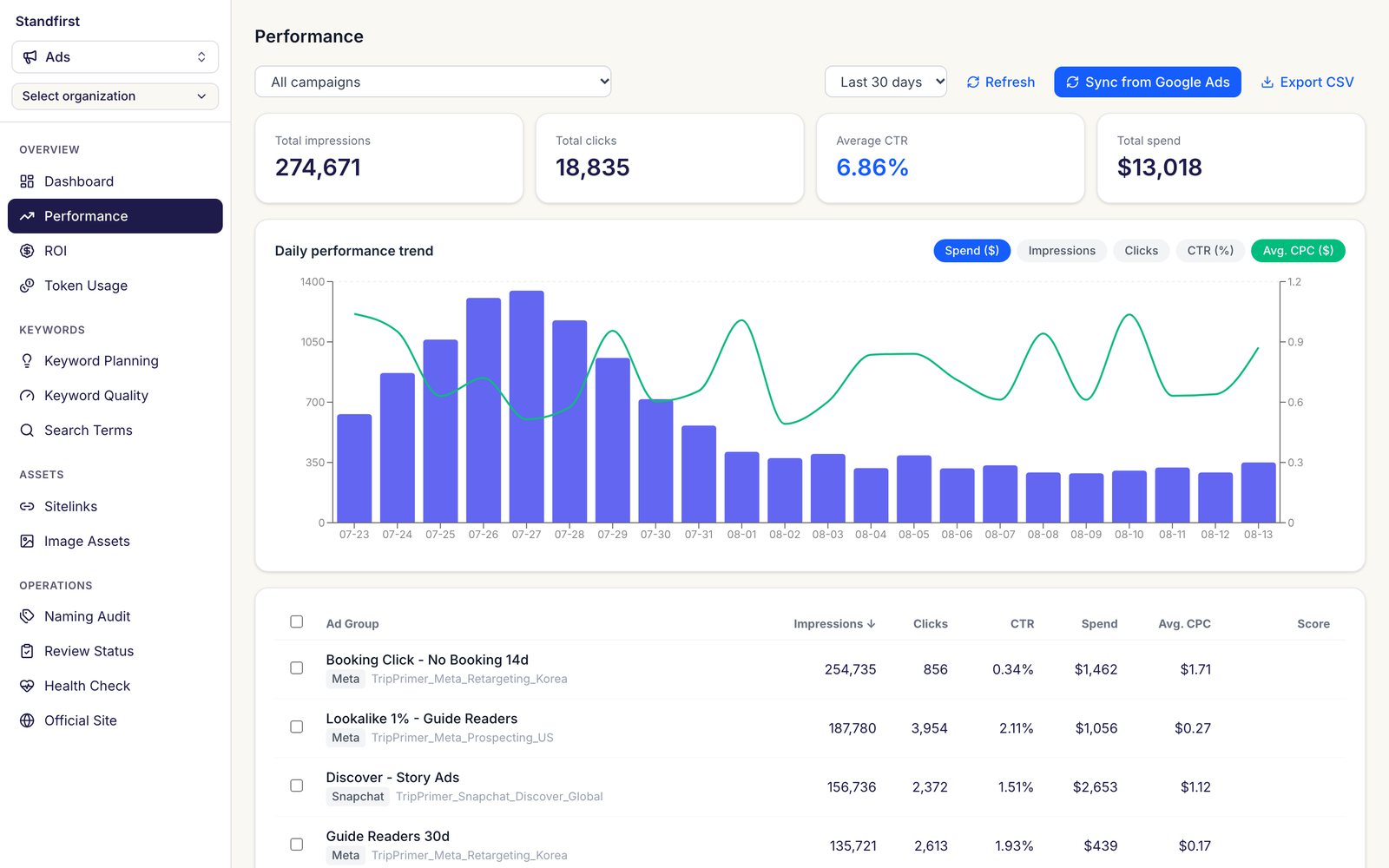
The Ad Ops Platform now lives inside Standfirst as its ads lane, modeled on tripprimer's campaigns (with demo data), alongside a newsletter pipeline, all under one sidebar and one account.
SolvesP3
Product decisions
Set one center, then extend
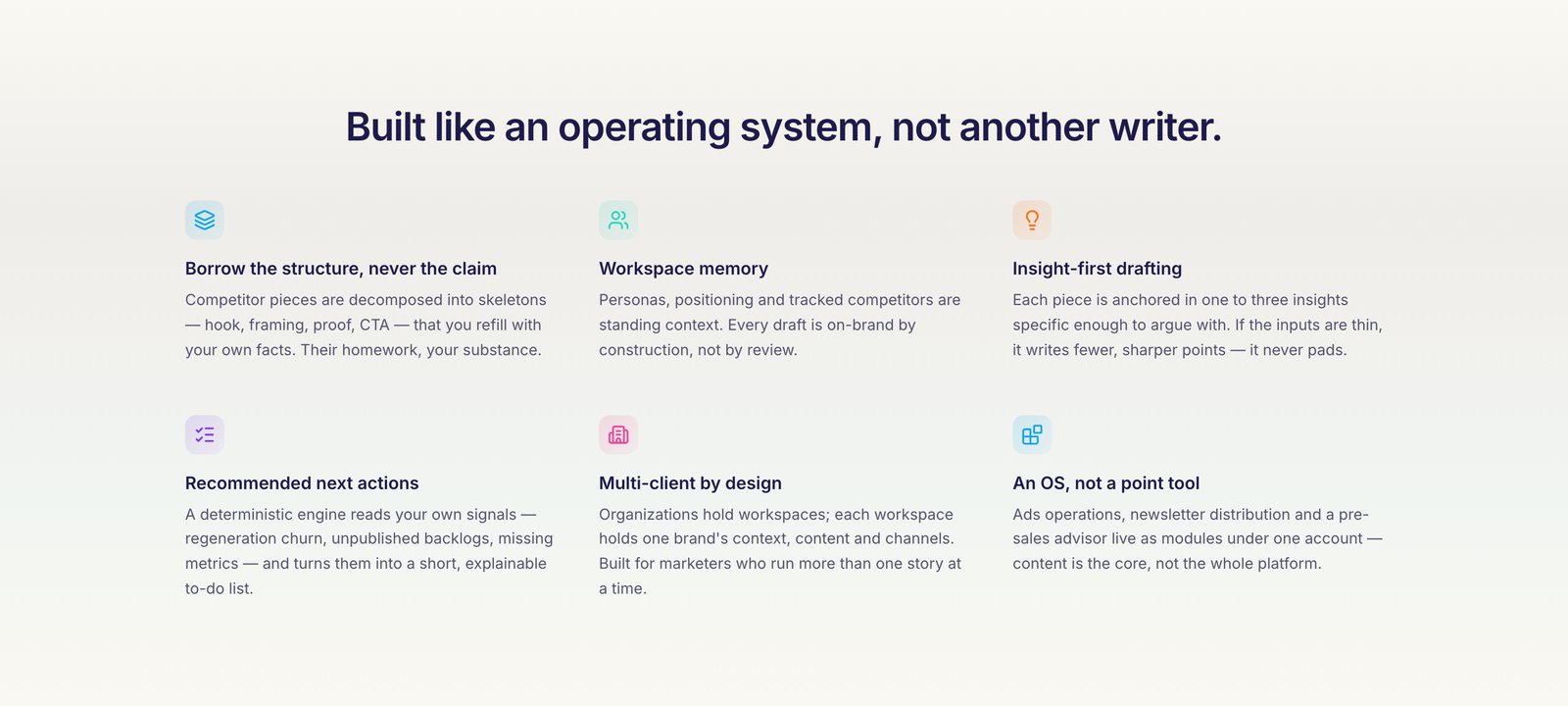
Audiences and SEO rules are set once and shared. The same ICP and personas feed every channel, and every blog draft is scored by the same on-page SEO checklist (keyword placement, title and description length, structure, links), written as code with no model call. A new channel, audience or product line extends from the center and inherits both, so nothing has to be set up twice, and every cell of the matrix can be filtered and compared by channel, persona and ICP.
SolvesP3P4
Rules where rules are enough
The blog-or-social classifier and the recommendation engine are deterministic rules with no LLM call. They cost nothing, answer instantly, and you can see why they decided what they did. An LLM only comes in if the rules turn out too rough.
SolvesP2P4
No RAG, on purpose
A workspace's whole persona set and positioning fit in the prompt as one fixed block. Retrieval would add infrastructure and a way to miss context, without making drafts better at this size.
SolvesP3P4
Regenerate from a snapshot
Regenerate, shorten and extend reuse the saved angles, keywords and insights, so research doesn't run again. That's cheaper and faster, and the results are repeatable.
SolvesP4
Defer the approval workflow
While every organization has one user, an approve button has nobody on the other end. I'll build it when teams start using the product.
SolvesP4
Competitive landscape
Plenty of tools own one step. None connects the persona to the keyword to the content to the ad, and back again.
| Tool | What it does well | Where it stops |
|---|---|---|
| HubSpot (Breeze) | All-in-one CRM, email and landing pages with AI inside. | SEO depth is thin, and real automation sits behind expensive tiers. |
| Jasper | Brand-voice copy at volume. | Writes copy and stops there. There's no distribution, ads or feedback loop. |
| Semrush / Ahrefs | The deepest SEO research. | Research stops at the report; email, social and ads live elsewhere. |
| Profound / AthenaHQ | Monitor how AI answer engines cite a brand. | They measure citations but don't make the pages that get cited. |
Standfirst goes after the execution layer in between. One persona model drives content, distribution and ads, so research becomes published pages that get cited and ads that get clicks, all in one place.
Built with
Inside the product
The app sits behind a login while it's in beta, so here are real screens. The ads lane shows demo data modeled on tripprimer.
standfirst.vercel.app/welcome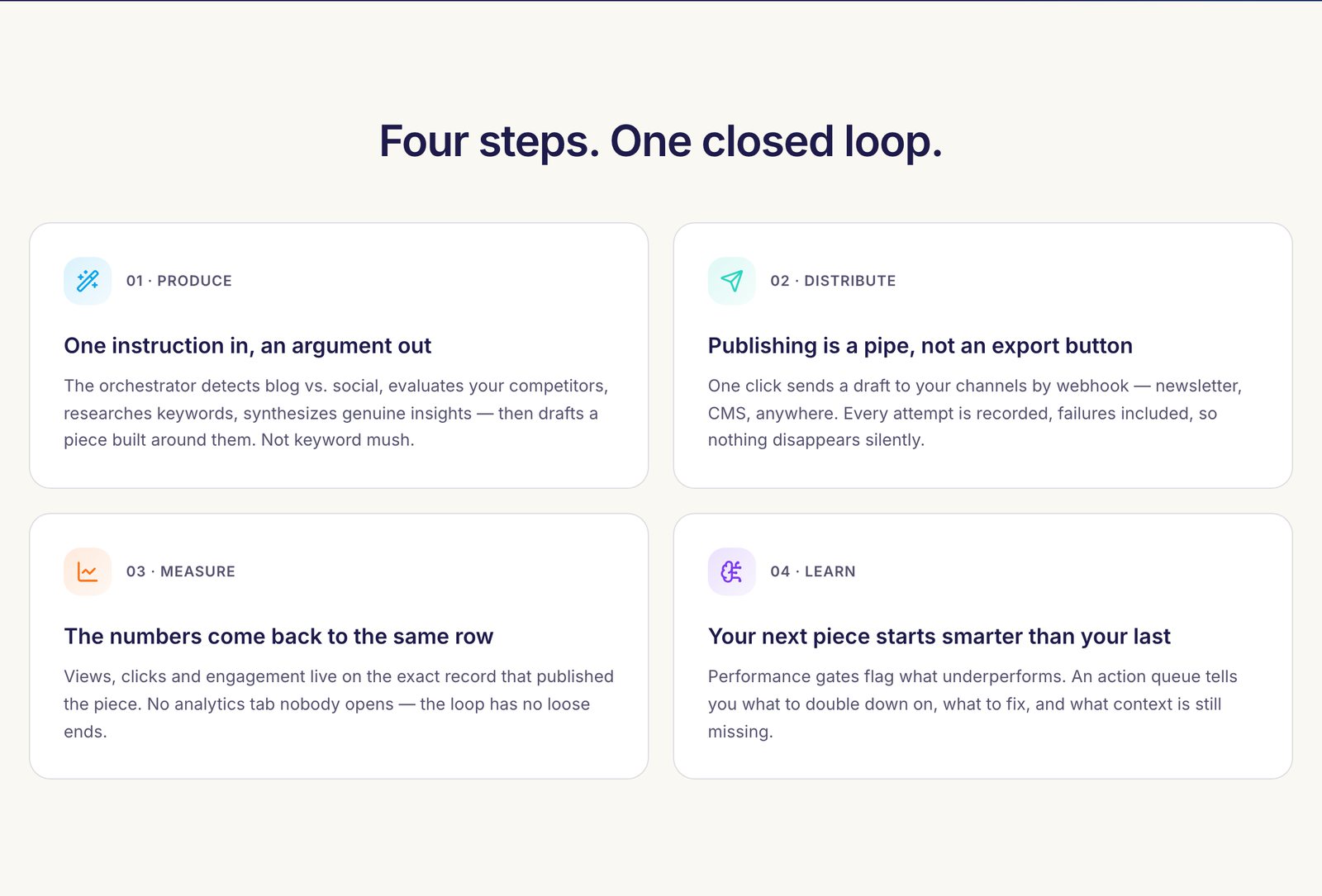
Outcome
Live in private beta with a public landing page and waitlist. tripprimer's service page sends sign-ups straight into it. The content loop runs end to end; channel metrics are entered by hand until platform APIs are connected.
What's next
- Pull channel metrics automatically instead of typing them in.
- Scope the ads lane to workspaces so each brand has its own campaigns.
- An agent-first redesign. It's a design concept for now, laid out below.
What's next: agent-first redesign (in design)
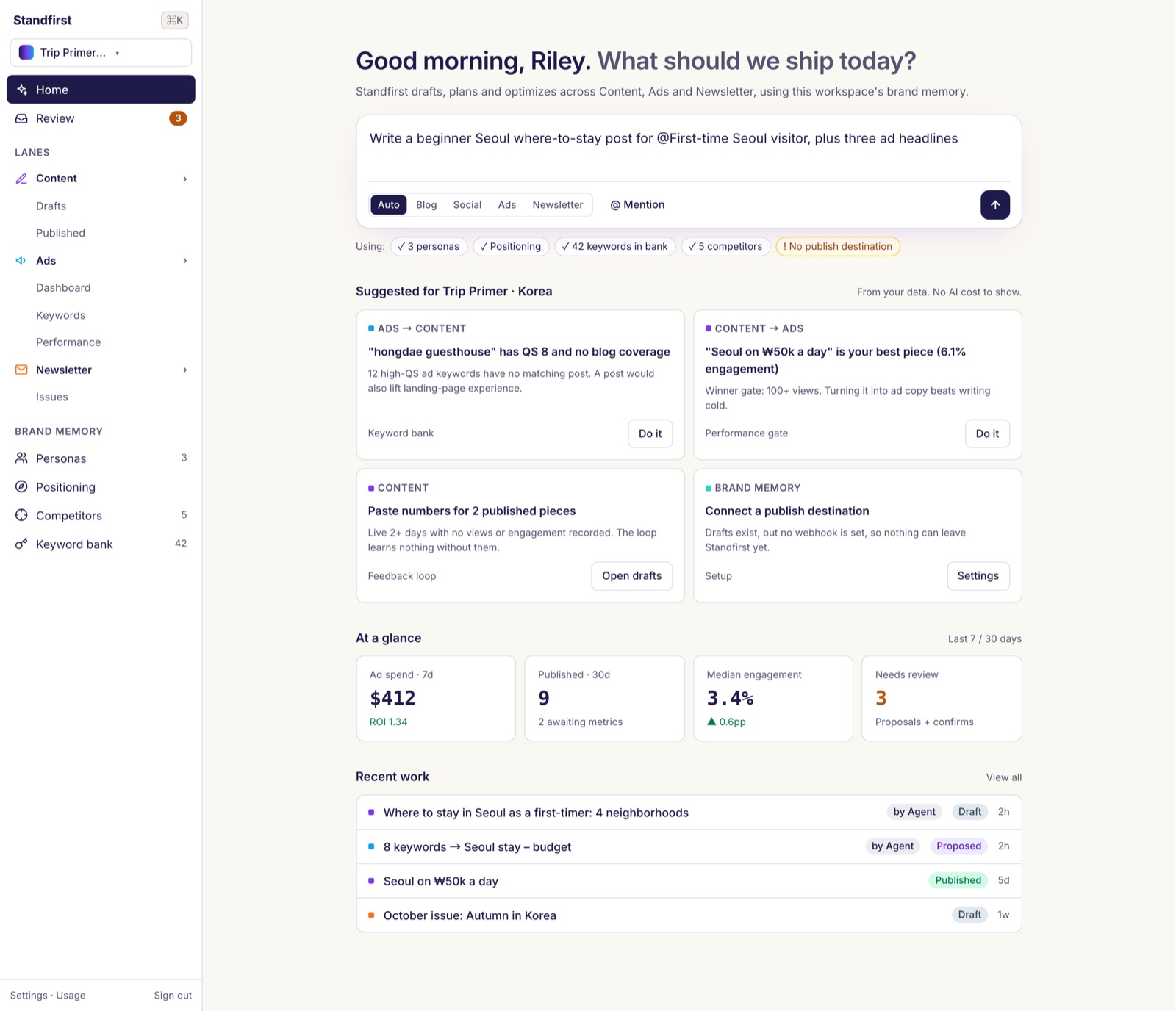
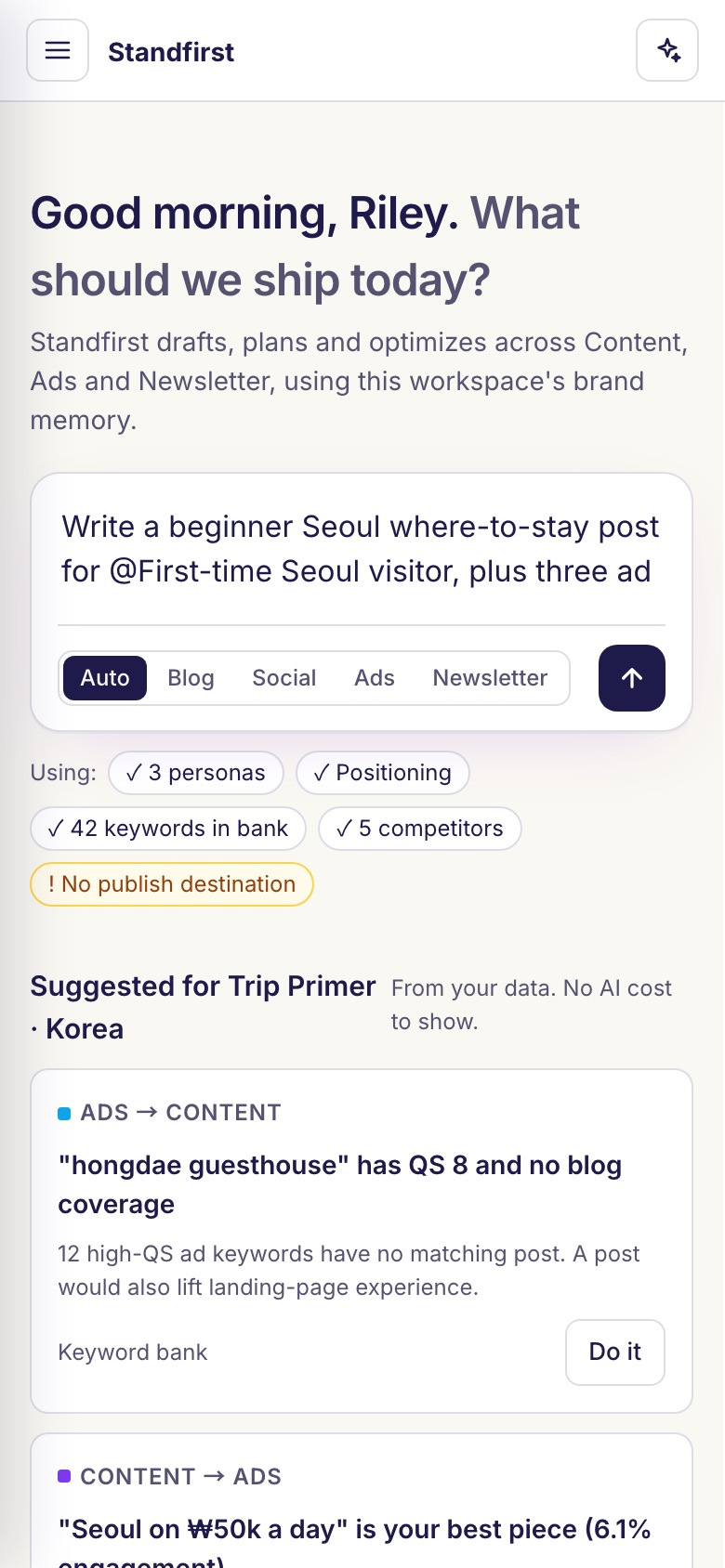
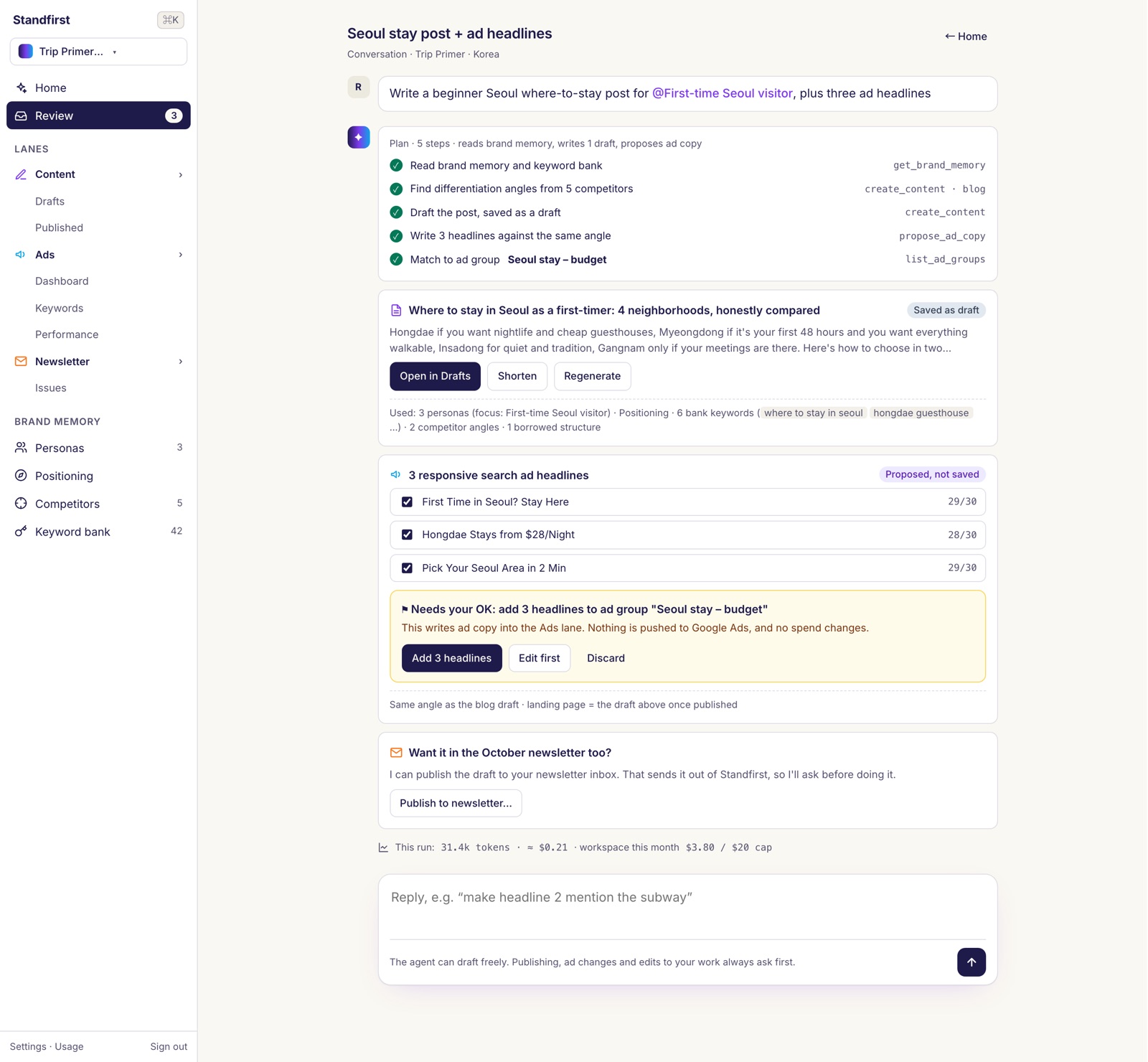
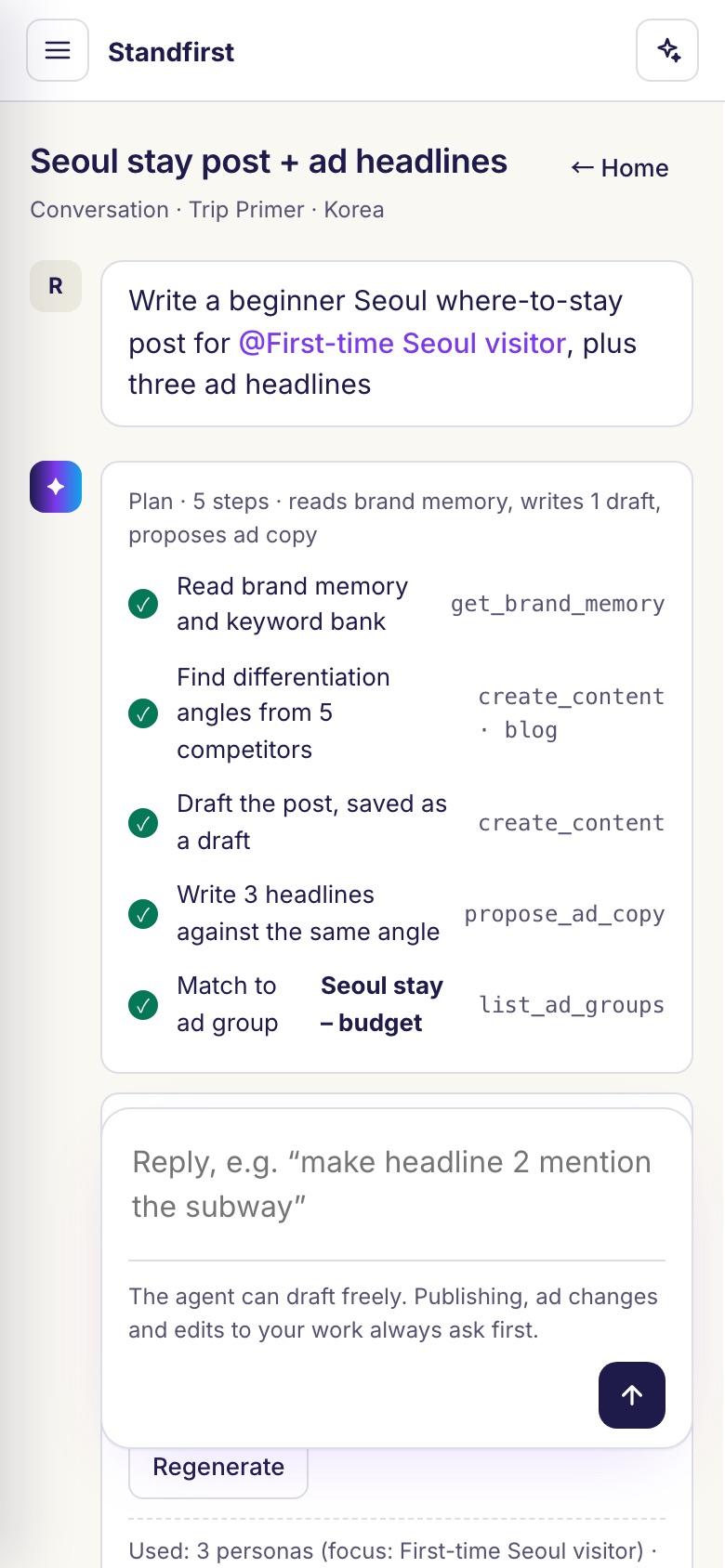
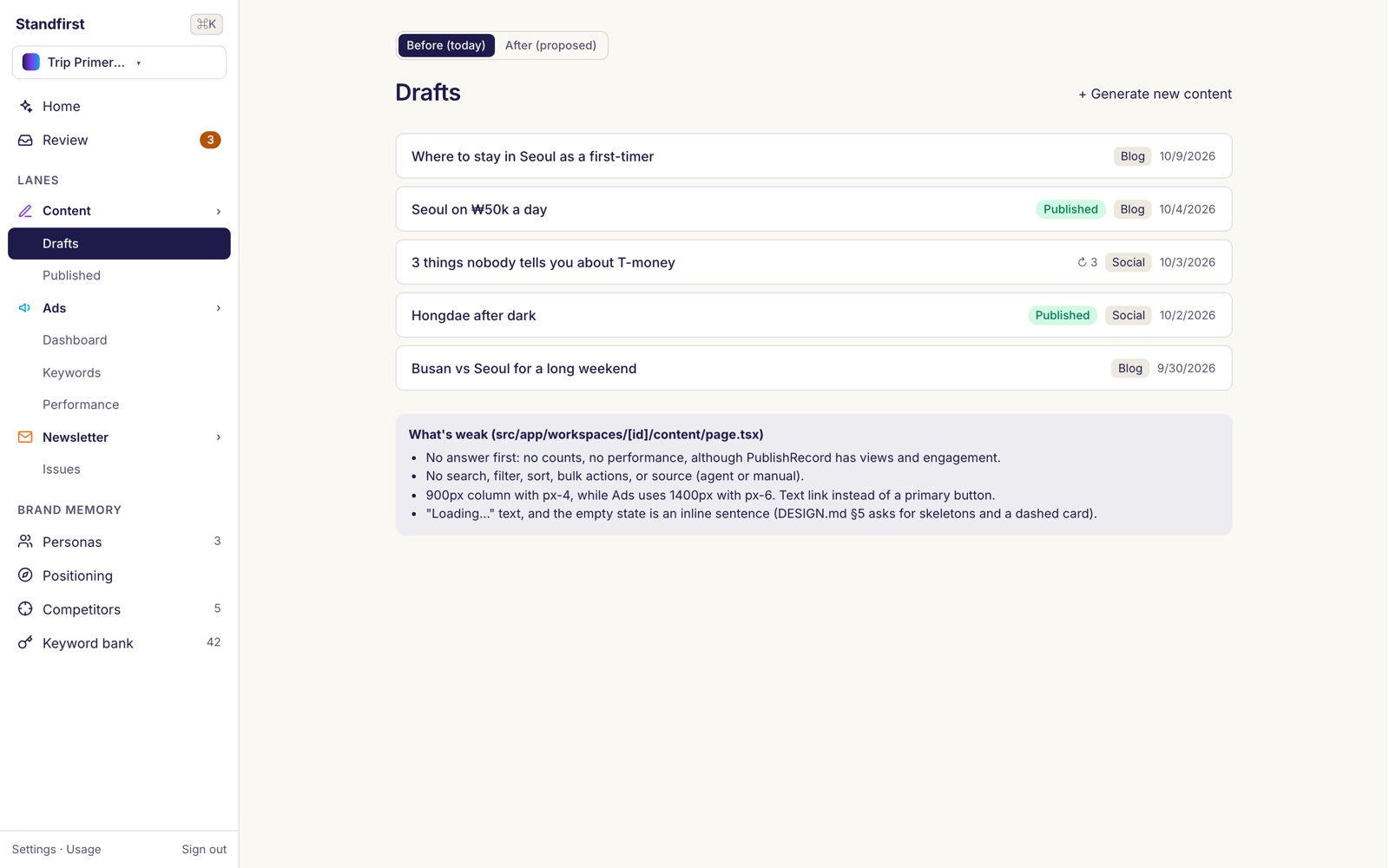
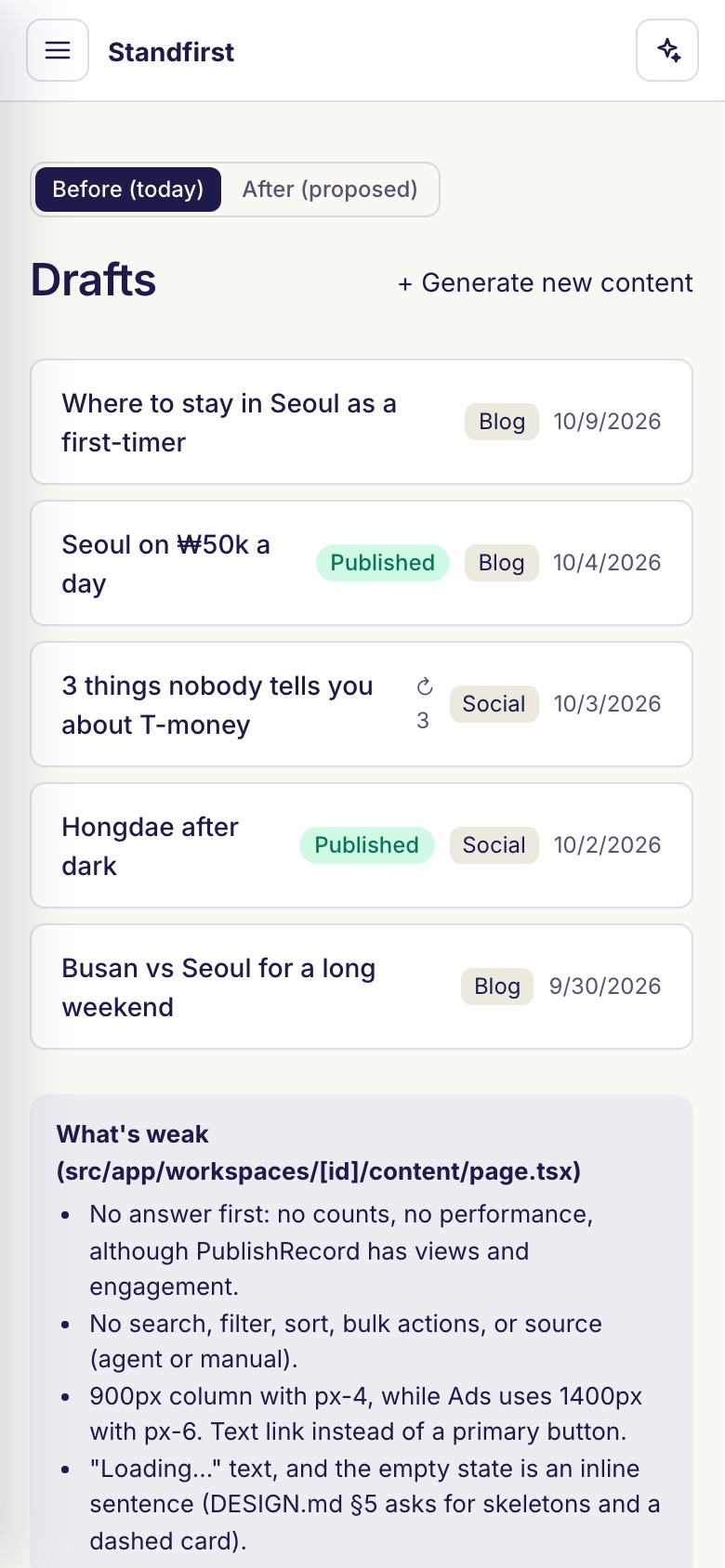
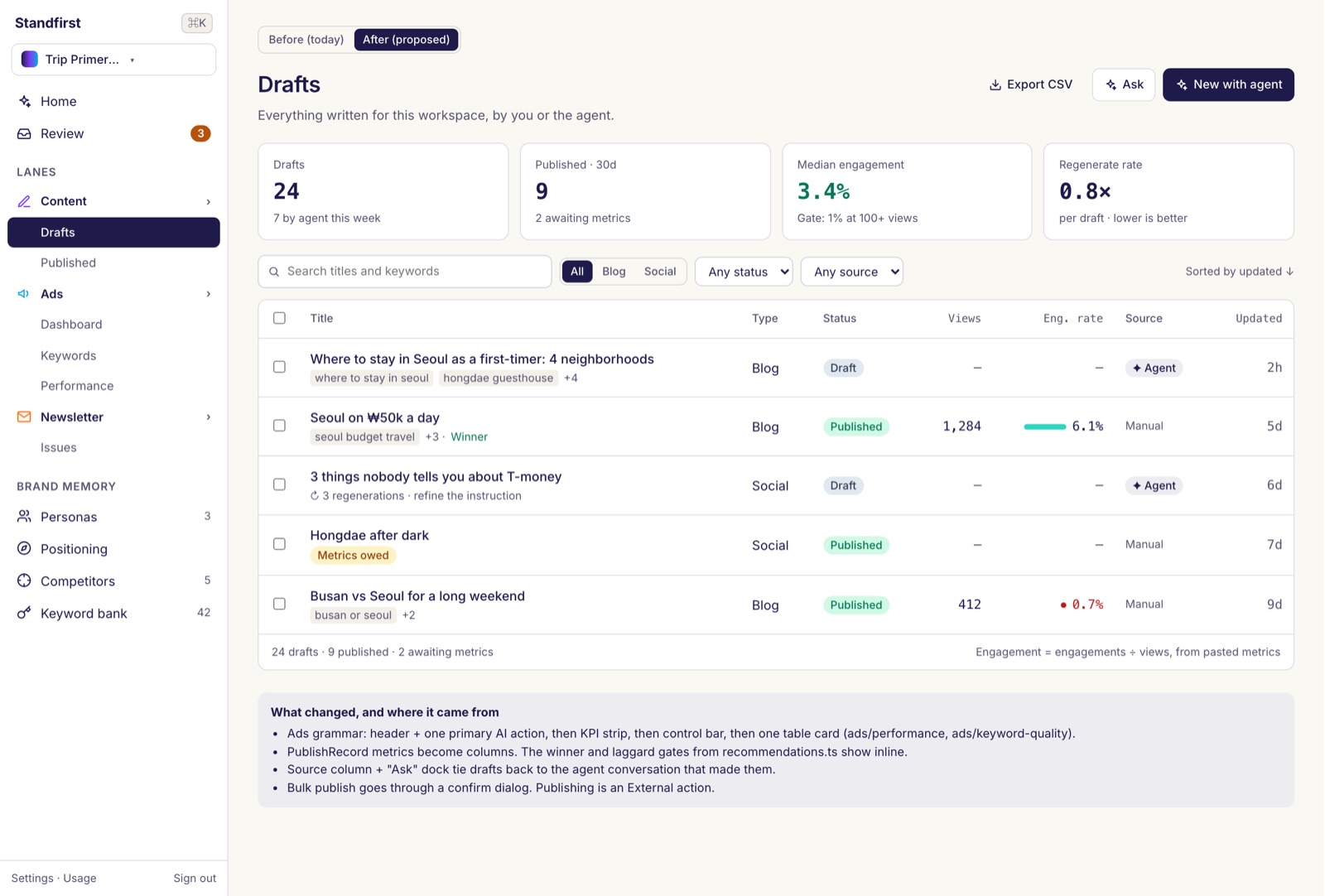
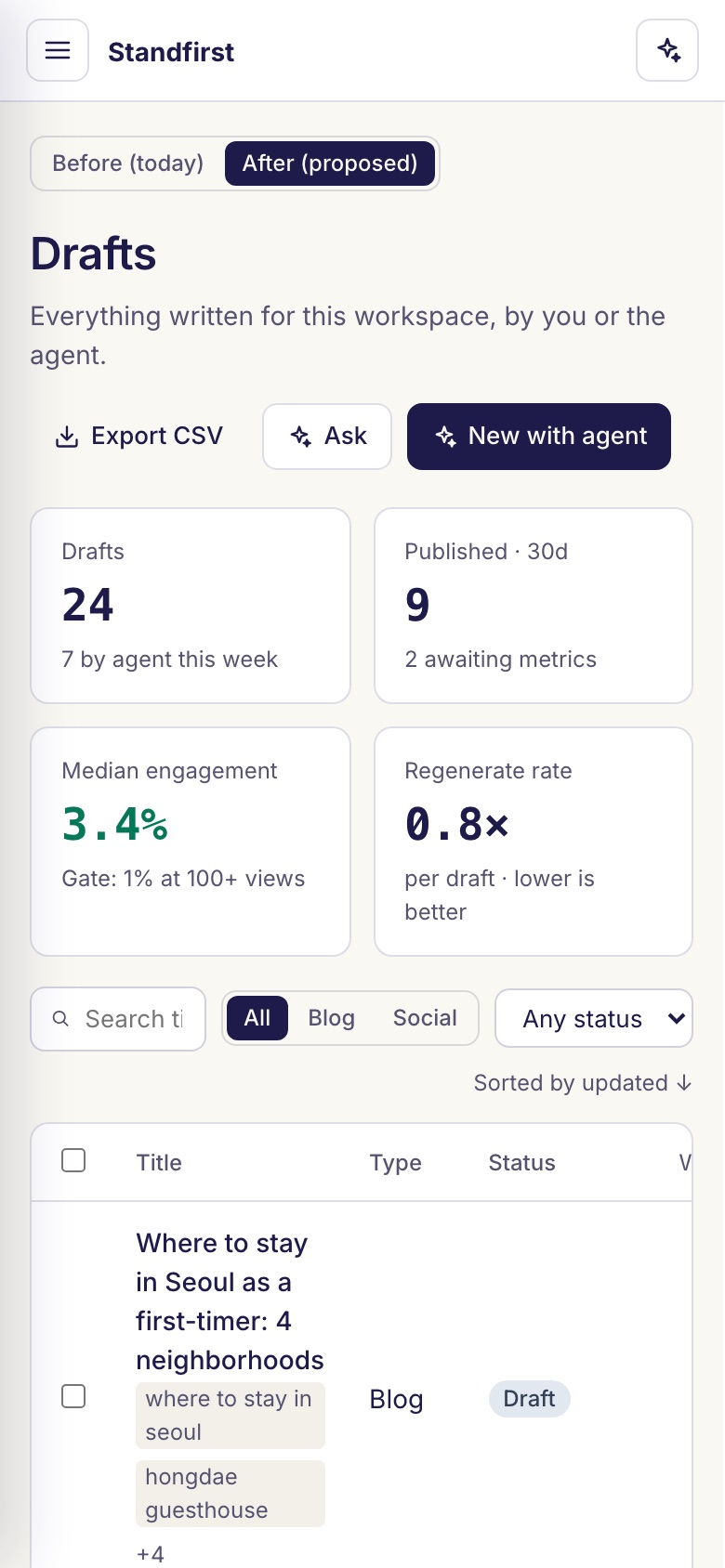
Design concept · not built yetEverything above this point is live, and this section isn't. Merging three lanes into one app worked in code but not in feel, so before adding more features I went back to research and design. What follows is a phase-one design direction and a clickable mockup: none of it is built yet, and every screen below is a design mockup with sample data.
The integration problem
- Switching lanes swapped the whole sidebar, so Content, Ads and Newsletter felt like three menus taking turns.
- Two UI kits in one app: the Ads pages ran their own components with a blue primary button, the rest used shadcn with navy, so two primary colors sat side by side.
- Five different page widths across the lanes, from a 900px column to 1400px. Every move between lanes changed the canvas.
Make the Ads grammar the standard
The Ads lane already felt right, and the reason was structural: every page opens with KPIs, then a control bar, then one table. AI shows up as a button on whatever you're looking at (generate keywords for this ad group). Suggestions are proposed and pre-selected, and saved only when you pick them. That grammar becomes the rule for every page in every lane, with one UI kit and one container width.
The agent is the home page; the full SaaS stays behind it
Log in and the first screen asks what you want to ship today. The suggestions under it come from the workspace's own data through rules, so opening home costs no AI spend. Every result lands as a normal draft or ad object that you can open, edit and publish from the full feature pages, which keep their own navigation.
Lanes always visible, brand memory on top
The lane dropdown goes away. Content, Ads and Newsletter sit in one sidebar as groups, with HubSpot-style flyouts for the full feature list. Personas, positioning, competitors and the keyword bank move into one Brand memory group, because they're what every lane shares.
What the agent may do on its own depends on how much damage a mistake could do, whatever the lane:
Reading & drafts
Runs freely. Drafts are labelled "by Agent" and easy to throw away.
Ad & brand writes
Needs your OK. A confirm card shows the change and where it lands.
Publishing & spend
Always asks, one action per card, never batched or auto-approved. Bid and budget changes stay out of v1 entirely.
Deletes
Not allowed. The agent links to the page where you delete it yourself.
Before drawing anything, I studied how other products put an agent next to a full product:
- HubSpot Breeze
- The CRM stays home, and the assistant lives in a side panel that knows the record in view. Tools that take action default to review-before-running. I borrowed the two surfaces (an agent home plus a dock on every page) and the idea of tiering.
- Jasper
- Moved from chat to a shared workspace, with brand context (Jasper IQ) injected everywhere. What I took from it: the objects and the decision trail matter more than the prompt box.
- Smartly
- Frames its agent layer as memory that links intent, campaigns and outcomes. Standfirst's keyword bank and publish metrics are the same idea at small scale, so the agent should say which memory it used.
- Copy.ai · Writer
- Chat plus libraries of saved workflows and agent builders. I left a builder out of v1 and show each agent run as an auditable row instead.